01
Order flow, built in
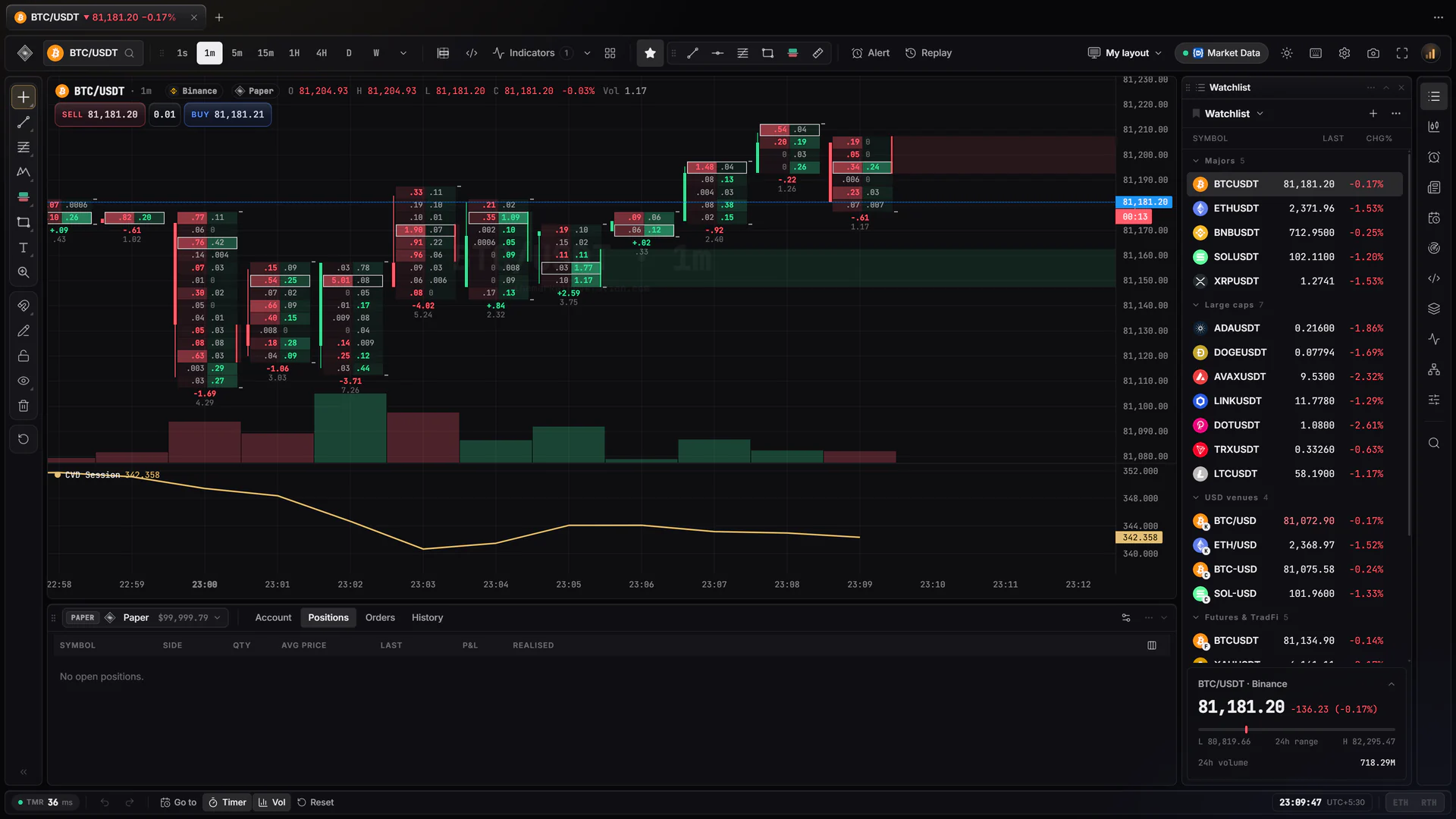
Footprint, TPO and session volume profiles as chart types, with delta, CVD and a visible-range profile. Every signal shows the numbers it fired on.
Charts, order flow, Pine Script and execution in one fast Windows app — prices straight from the exchanges, orders through your own broker.
The terminal running · demo prices · paper account
21
Chart types
Candles to footprint, Renko to TPO
75
Drawing tools
With templates and undo
65
Built-in indicators
Plus your own in Pine Script
16
Charts in one layout
Synced by symbol, time or crosshair
Why one terminal
Inside the app
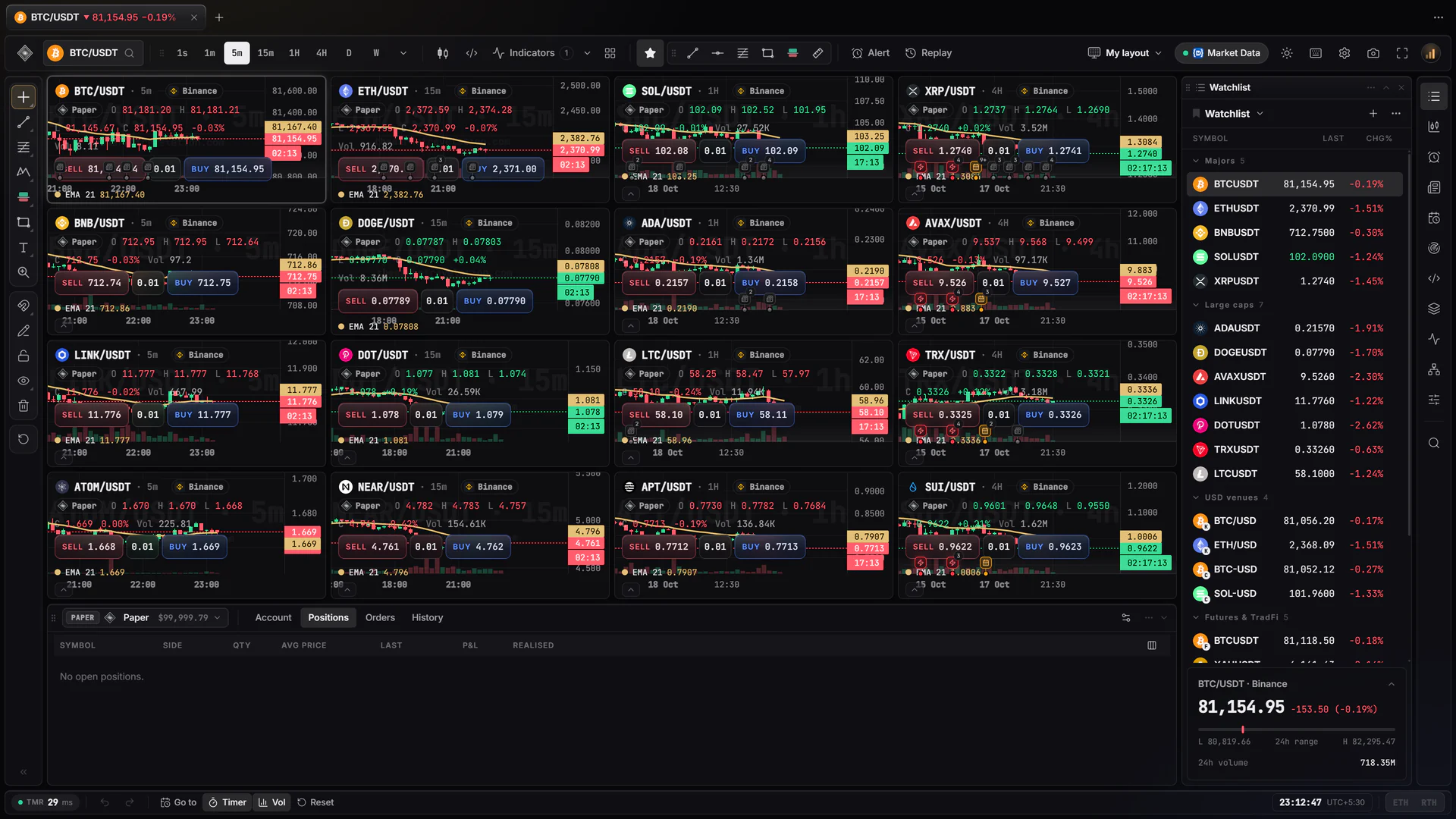
A working desk, not a recording. Click a market, hold Ctrl, Alt or Shift for the wheels, press B to buy on paper, drag a chart to pan it. Demo prices; nothing here reaches a broker.
01 · Workstation
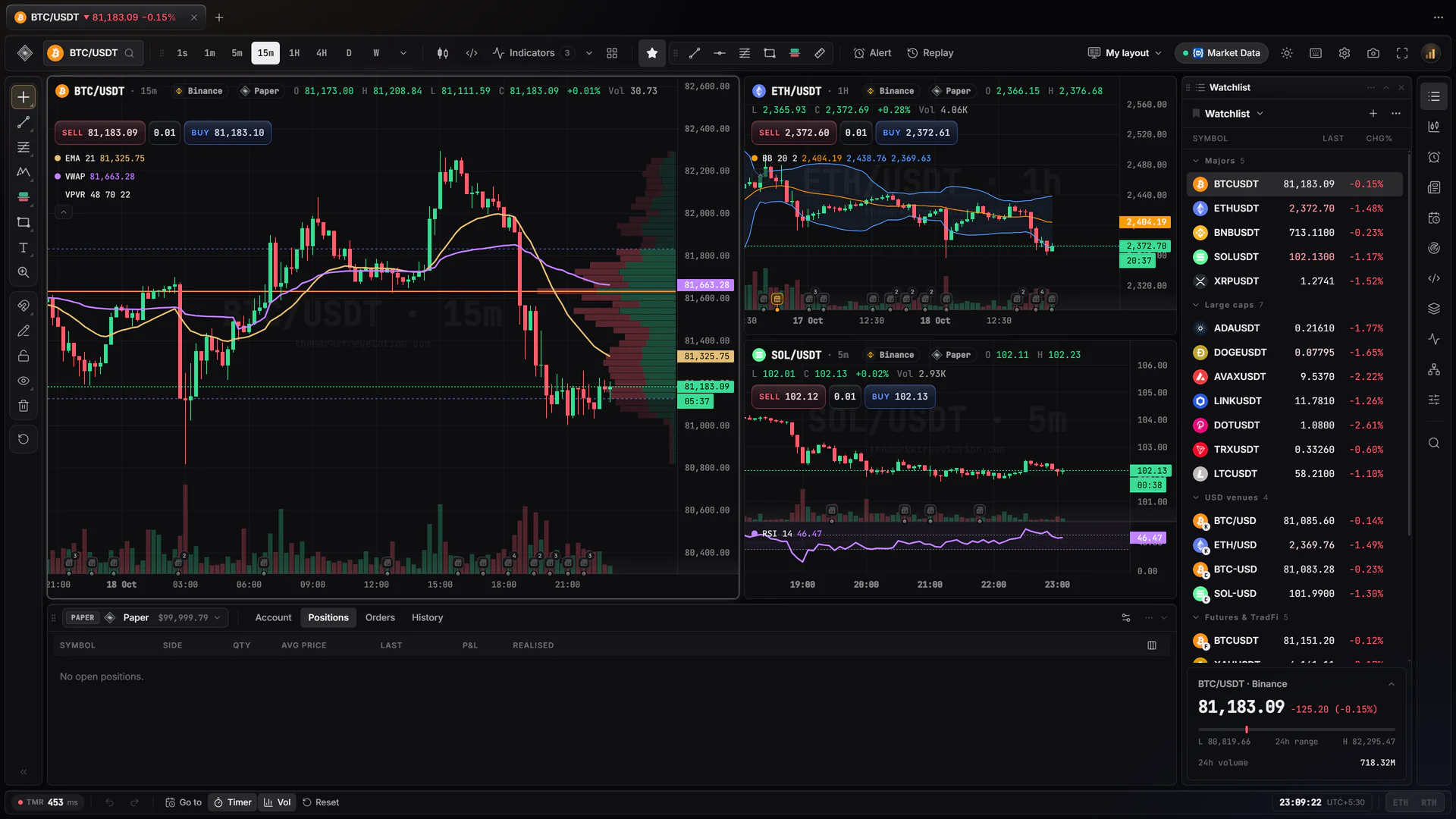
Charts, a watchlist, quotes and your account in one window, arranged the way you trade.
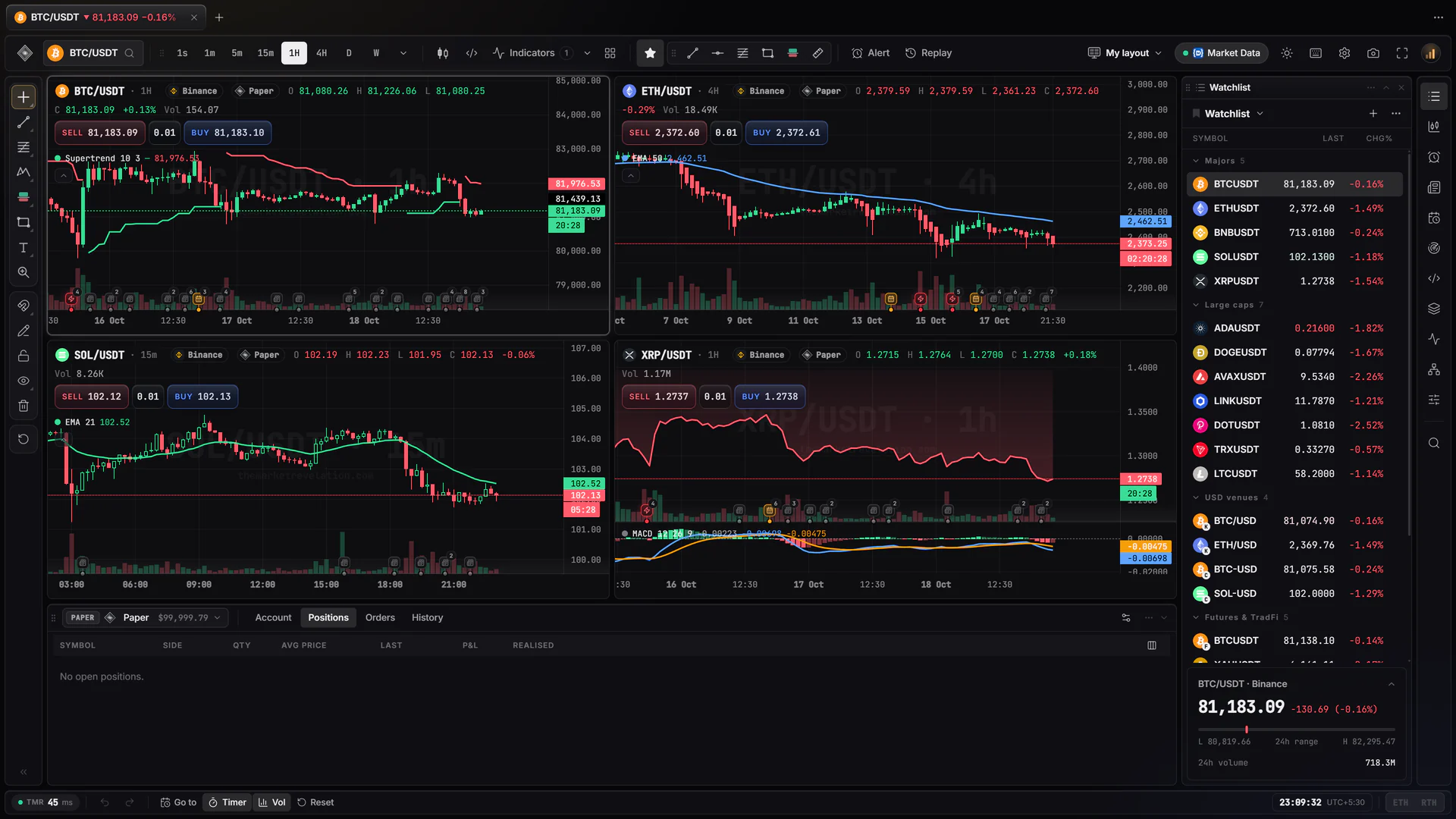
02 · Chart types
Candles, Heikin Ashi, hollow, baseline, Renko, Kagi, point and figure, line break and more — each with the same indicators and drawings.
03 · Order flow
The footprint shows what traded at each price, buyers against sellers, as it happens.
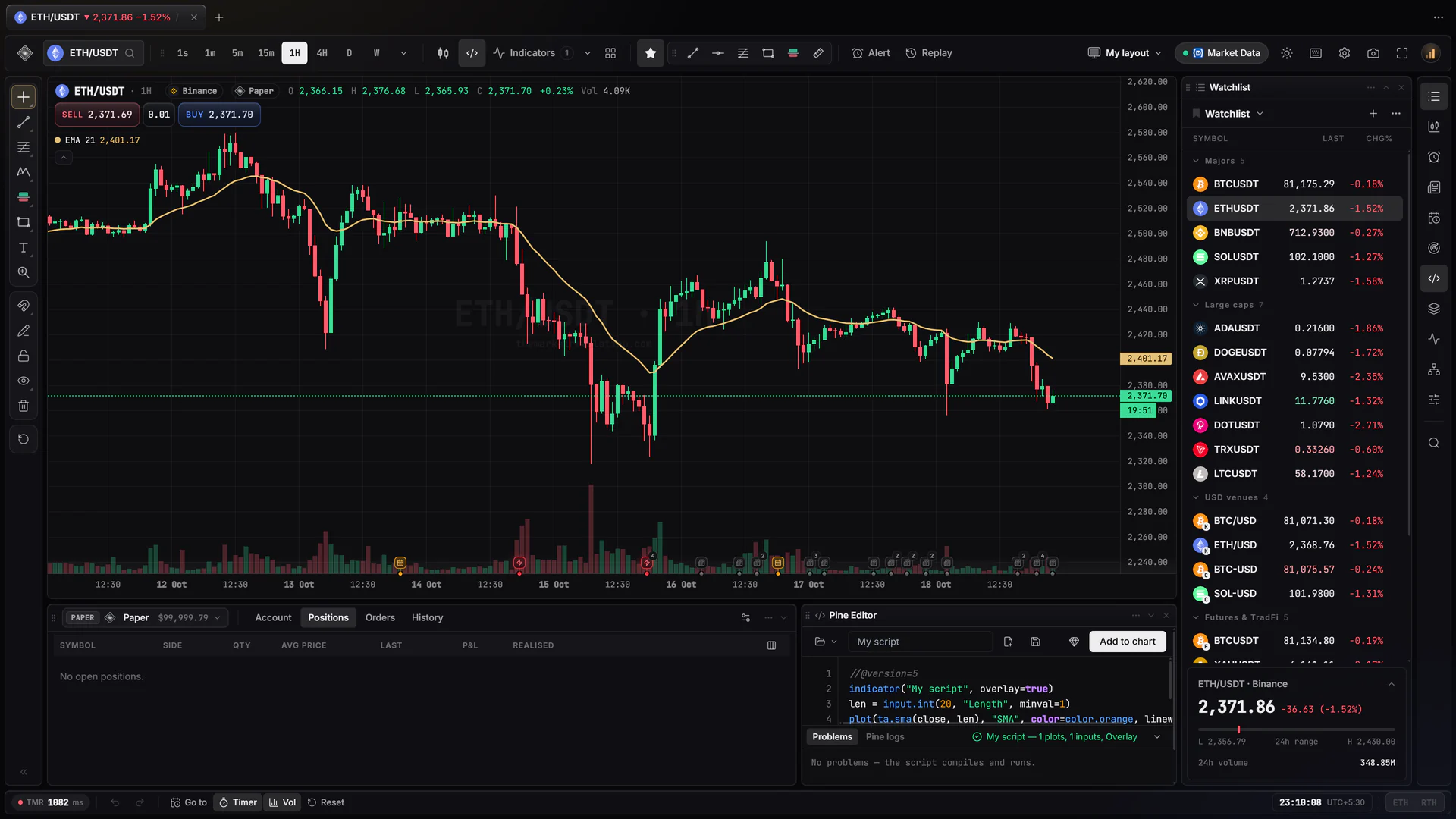
04 · Pine Script
The Pine Editor sits beside your chart. A script compiles as you type and tells you the line when something is wrong.
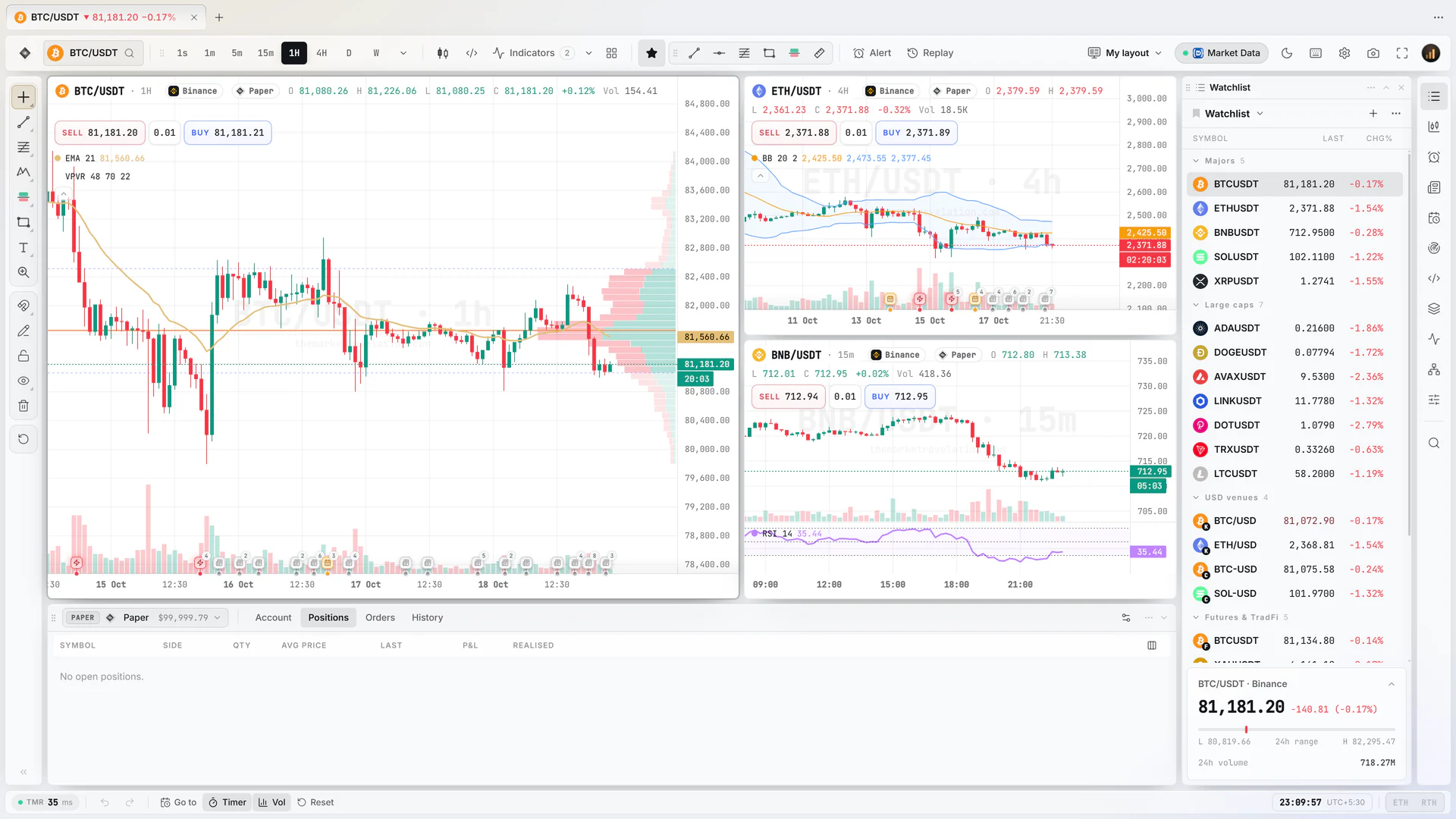
05 · Light theme
A dark glass theme and a light one, with your colours for candles, lines and the chart itself.
In motion
Wheels, keys, notices, brokers, PropSyncer copying a trade, Social, the New tab page, the heatmap and the journal — each one played in the working desk. Click into the screen at any point and it is yours.
Layouts
The whole desk, working, at nine-tenths of your window. Keep scrolling and the layout changes in the frame — every one of them takes your clicks and keys.
TMR Terminal · working demo
01 / 06
Bitcoin with EMA, VWAP and a volume profile beside Ethereum and Solana, the watchlist and the paper account.
Highlights
The tools a desk needs, in one window — from reading the tape to placing the order to reviewing the week.
Footprint, TPO and session volume profiles as chart types, with delta, CVD and a visible-range profile. Every signal shows the numbers it fired on.
Paste an indicator or a strategy and it runs like a built-in one — older v3 and v4 scripts too. Strategies get a full backtest report.
Buy and sell from the chart, the order ticket or the DOM, with take-profit and stop-loss attached. A paper account is built in to practise on.
Binance, Coinbase and Kraken stream to your PC directly, up to 20 updates a second, with no stop at our server on the way.
Step back to any day and trade it bar by bar at the speed you choose. Orders fill on a replay account, never on your real one.
Live, demo, paper and replay trades land in one journal, so you review a week of trading in one place.
Brokers and data
Connect your own broker account and trade from the chart, or add a data source for the markets you follow. Crypto prices come built in.
 NinjaTrader
 Topstep
 tastytrade
 OANDA
OANDA cTrader
 TradeLocker
 DXtrade
 Binance
 Bybit
Bybit OKX
OKX Kraken
 Coinbase
 Alpaca
 Charles Schwab
 Tradier
 Zerodha
 Angel One
 Upstox
 Dhan
Dhan Fyers
Fyers Twelve Data
 Polygon
 Finnhub
 Market Data
You connect with your own account and keys; orders are filled by your broker. Where a broker offers paper or demo trading, start there. NinjaTrader connects through an add-on the app sets up for you. Brand names and marks belong to their owners.
Windows app
TMR Terminal is a desktop app. Market data runs on your own machine, so charts stay quick however many you open — and they keep running in the tray when the window is closed.
Never slowed down
It is not a browser tab, so it keeps full speed on another monitor or in the tray.
Alerts as Windows notifications
Your alerts reach you even with the app minimised.
Charts on any screen
“Open in new window” puts a chart in a window of its own.
Keeps itself up to date
Signed updates install in the background, or the next time you quit.

TMR Terminal
for Windows
FAQ
Short answers about what the terminal does. Anything about your own setup is better asked directly.
No. TMR Terminal is a Windows app. It opens only in the app, where it runs at full speed on any monitor, sends alerts as notifications and keeps market data on your PC.
Crypto from Binance, Binance Futures, Coinbase and Kraken comes built in. Stocks, futures, forex and Indian markets come through a data source you connect with your own account — Upstox, Alpaca, OANDA, Twelve Data, Polygon, Finnhub, Market Data, tastytrade, Charles Schwab or NinjaTrader.
Yes, through your own broker account — the terminal sends the order, your broker fills it. A paper account is built in to practise on, and NinjaTrader connects through an add-on the app installs for you in one click.
Pine Script indicators and strategies run on the chart the way built-in ones do, including scripts written for older versions. Strategies get a backtest report. If a script uses something not supported yet, the editor says which line.
Not yet. TMR Terminal runs on Windows 10 and 11, 64-bit.
By licence. Ask us on Discord and we will set you up; a licence covers your own computers. Once it is active, sign in on this site and download the app.
Get access
Tell us what you trade and where, and we will set up your licence. Already licensed? Sign in and download the app.
Questions first? Ask on Discord, or read the documentation.
License, terms and privacy · Trading involves a high risk of loss. Nothing in TMR Terminal is investment advice.